Gallery delivery
Turn a gallery into a wall-sized poster your clients keep forever.
Your clients download a print-ready PDF poster of the full gallery layout, with every original photo embedded untouched. Business plan only.
Facts and prices checked on 2026-09-07.
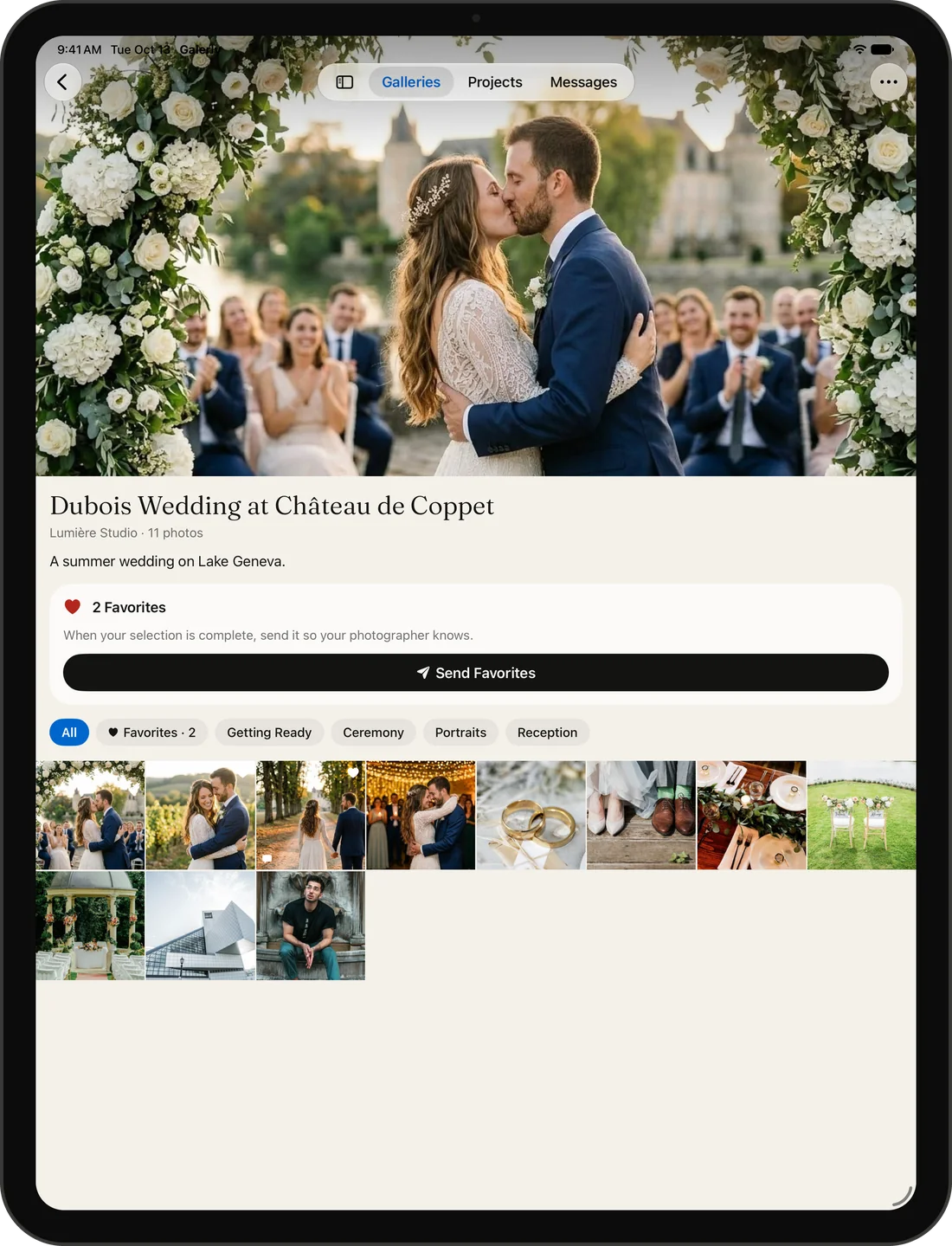
A gallery is dozens or hundreds of photos a client scrolls through. A poster is one image they frame. Galerly lays your gallery's masonry layout out on a single print-ready PDF page, embedding every original photo at full resolution with no resizing and no re-compression, and delivers it as a one-click download inside the client gallery.
How it works
- Turn on poster download in the gallery settings tab and choose the columns, print width, spacing and background.
- Your client opens the gallery and clicks the poster button in the navigation bar.
- Galerly lays the masonry grid out server-side, preserving the exact arrangement the client sees on screen, and embeds each original file byte for byte.
- The poster is delivered as a PDF, ready to send to any large-format printer.
What the poster looks like
The poster reproduces your gallery's masonry grid: every photo in its exact position and proportion, arranged in columns. Each photo is your original file, untouched, so the poster prints at whatever size the originals support. Three columns of 24-megapixel photos print sharp at well over a metre wide.
Who uses gallery posters
- Wedding photographers: the couple frames the overview of their day.
- Event photographers: a corporate client displays the event wall in the office.
- Family photographers: parents print the session as a single keepsake.
- Portrait photographers: the subject gets a contact-sheet-style print.
Security
The poster endpoint enforces the same access controls as individual photo downloads: only the gallery owner and invited clients can generate a poster. If the gallery requires a download PIN, the poster requires it too. If the gallery uses a store paywall, the poster respects it. AI-culled photos are excluded from client posters automatically.
Plan and pricing
Poster download is available on the Business plan. Enable it per gallery in the settings tab. There is no per-poster charge and no limit on how many times your clients download the poster.
| Plan | Poster download |
|---|---|
| Free | Not available |
| Starter | Not available |
| Pro | Not available |
| Business | Included |
Printing tips
- You pick the print width per gallery, from 60 to 150 cm. Your printer can still scale it freely: the embedded photos keep their full original resolution at any size.
- PDF is accepted by every large-format print service. Upload it directly to your preferred lab.
- For best results, use a matte or satin finish. Glossy finishes can create glare on large prints.
Frequently asked questions
Can my client download the poster without an account?
Yes, if they access the gallery via a share link. The poster button appears in the gallery navigation bar. If you set a download PIN, they will need to enter it.
How long does the poster take to generate?
A few seconds for most galleries. The poster is rendered server-side and cached, so repeat downloads are instant.
Can I use the poster myself as the photographer?
Yes. The poster button also appears in your gallery management view. You can download it for your own portfolio, social media, or printing.